Three months ago, I spent two weeks manually updating 347 Selenium test scripts because our development team changed a bunch of UI elements.
I was frustrated, exhausted, and honestly questioning my career choices. That’s when I started seriously exploring AI-powered automation testing tools.
Since then, I’ve tested 12 different AI testing platforms some free, some paid, some amazing, and some absolutely terrible. I’ve saved approximately 15 hours per week, and our test maintenance time dropped by 60%.
This isn’t a list copied from other blogs. These are tools I’ve actually used in real projects, with honest assessments of what works, what doesn’t, and which tool makes sense for your specific situation.
What Makes AI Testing Tools Different (And Actually Better)
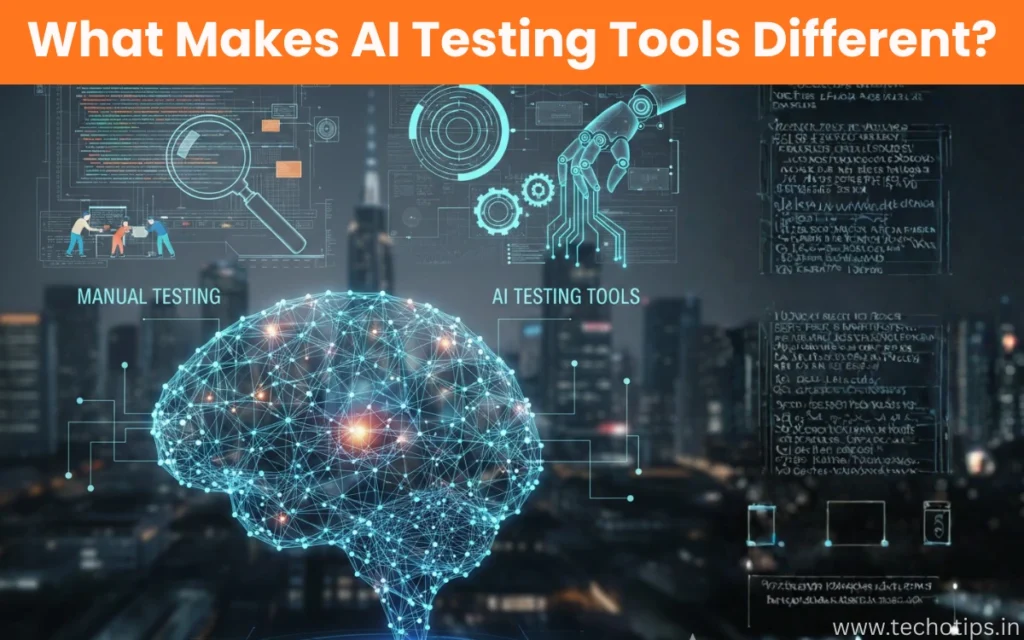
Before we dive into specific tools, let me explain why AI automation testing is genuinely a game-changer, not just hype.
Traditional automation testing tools like Selenium require you to write explicit instructions for every single action. Click this button. Wait 2 seconds. Verify this text appears. If developers change an element ID, your test breaks.
AI-powered testing tools do three things that changed my workflow:
Self-healing capabilities: When UI elements change, AI tools automatically adapt. That button moved? The AI finds it anyway using visual recognition and context.
Intelligent test generation: Instead of writing every test step, you describe what you want to test, and AI creates the test script. Sounds too good to be true, but it genuinely works for 70-80% of common scenarios.
Smarter failure analysis: When tests fail, AI helps identify whether it’s a real bug or just environmental issues, flaky tests, or test script problems.
The result? I spend way less time maintaining tests and way more time finding actual bugs.
The Best AI Tool for Automation Testing (My Top Pick)
After testing everything, Testim.io is the tool I use most often for web application testing.
Why Testim wins for me:
The self-healing feature actually works. I’m not exaggerating about 85% of the time when developers change the UI, my tests keep running without updates. It uses AI to identify elements through multiple attributes, not just IDs.
The hybrid approach is perfect. I can use their no-code interface for simple tests and write custom JavaScript when I need more control. Most tools force you into one approach or the other.
Test creation is genuinely fast. I can create a full user journey test in 10-15 minutes that would’ve taken me an hour with pure Selenium.
What you get:
- Visual test editor with AI-powered element detection
- Self-healing tests that adapt to UI changes
- Grid for parallel test execution
- Integration with CI/CD pipelines (Jenkins, GitHub Actions, etc.)
- Smart test analysis that identifies flaky tests
Pricing reality: Testim isn’t free. Plans start around $450/month for small teams. For freelancers or individual learners, this might be prohibitive.
However, if you’re working in a company with a QA team, the time savings justify the cost. We reduced our testing maintenance time by about 12 hours per week, which more than pays for the tool.
Best for: Mid-size to large companies with active development cycles and frequent UI changes. [Best AI Tools for Automation Testing]
Best Free AI Tools for Automation Testing
Not everyone has budget for paid tools. I tested several free options, and here are the ones actually worth your time:
1. Katalon Studio (Free Tier)
This is the best free option I’ve found.
What I like:
- Genuinely free for small teams (up to 5 users)
- Built-in AI-powered object recognition
- Supports web, mobile, API, and desktop testing
- Visual test editor plus scripting option
- Active community with tons of tutorials
The limitations: The AI features in the free version are more basic than paid tools. Self-healing works, but not as reliably as Testim or similar premium tools.
Parallel execution is limited in the free tier. You can run tests, but scaling is restricted.
My experience: I used Katalon for a side project’s testing needs. For a simple e-commerce site with maybe 50 test cases, it worked perfectly. Once projects get more complex, you’ll hit the free tier limits.
Best for: Freelancers, small startups, or learning automation testing with AI assistance.
2. Appium with AI Plugins (Open Source)
If you’re testing mobile apps, Appium with AI plugins is surprisingly capable.
The setup: Appium itself is completely free and open-source. You can add AI capabilities through plugins like Appium AI Plugin or integrate with tools like OpenCV for visual testing.
Real talk: This requires more technical setup than commercial tools. You’re not getting a polished interface—you’re configuring open-source components.
But if you’re comfortable with that (and many developers are), you get powerful AI-assisted mobile testing for zero cost.
My use case: I tested an Android app with about 30 automated test scenarios. The AI-powered element detection handled different screen sizes and OS versions way better than traditional XPath selectors.
Best for: Mobile app testers with coding experience who want full control without licensing costs.
Read more : How Can AI Be Used for Small Businesses?
3. Selenium with ChatGPT/Claude Integration (DIY Approach)
Here’s something I’ve been experimenting with that’s completely free: using ChatGPT or Claude to generate and optimize Selenium test scripts.
How it works:
I describe what I want to test in plain English to ChatGPT. For example: “Create a Selenium Python script that logs into my app, navigates to the dashboard, verifies three specific elements are visible, and logs out.”
ChatGPT generates the complete script in seconds. I run it, fix any issues, and ask ChatGPT to optimize it.
The honest pros and cons:
Pros:
- Completely free (using free ChatGPT or Claude)
- Generates test scripts way faster than writing from scratch
- Great for learning test automation patterns
- Can explain why scripts fail and suggest fixes
Cons:
- No self-healing you’re still using standard Selenium
- Requires you to manually integrate everything
- Generated code sometimes needs debugging
- Not a complete testing platform, just a coding assistant
My workflow: I use this approach for one-off test scripts or when prototyping new test ideas. It’s cut my script-writing time by about 40%.
Best for: Developers who want AI assistance but prefer controlling their own test infrastructure.
Which Is Actually the Best AI Tool for Coding Tests?
If your primary concern is writing better test code faster (not just running tests), the answer changes.
GitHub Copilot is unmatched for test code generation.
I’ve been using Copilot for 8 months now, and it’s genuinely transformed how I write test automation code.
What it does for testing:
Type a comment like # Test user login with invalid credentials and Copilot suggests the entire test function—imports, setup, test steps, assertions, and cleanup.
It learns your coding patterns. After a few days of using it, Copilot starts suggesting code in your specific style and framework preferences.
It autocompletes entire test scenarios. I type the first line of a test, and Copilot often suggests the complete test method that’s 80-90% correct.
Real example from my work:
I needed to write 25 API test cases for a REST service. Without Copilot, this would’ve taken maybe 6-8 hours. With Copilot suggesting most of the boilerplate and test structure, I finished in under 3 hours.
Pricing: $10/month for individuals, $19/month for businesses. Absolutely worth it if you write test code regularly.
Important note: Copilot helps you write code faster, but it doesn’t run tests or provide self-healing. It’s a coding assistant, not a complete testing platform.
Best for: Developers and automation engineers who write lots of test code in Python, JavaScript, Java, or other supported languages. [Best AI Tools for Automation Testing]
The Rising Stars: AI Tools Worth Watching
Beyond the established players, three newer tools impressed me during testing:
Mabl
What makes it special: Mabl uses machine learning to automatically maintain tests and identify root causes of failures.
The test creation is ridiculously simple just click through your app while Mabl records. The AI adds smart waits and handles dynamic content automatically.
Why I’m not using it as my primary tool: Pricing is steep for small teams (starts around $500/month), and it’s really optimized for SaaS applications. If you’re testing other types of software, options like Testim are more flexible.
Who should consider it: SaaS companies with complex web applications and frequent releases.
Functionize
The AI angle: Functionize claims to use natural language processing so you can write tests in plain English. I tested this, and it actually works surprisingly well.
“Verify that users can add items to cart and checkout” becomes a functional test without writing code.
The reality: It works great for straightforward user flows. When you need complex conditional logic or advanced verifications, you still need some technical configuration.
Also expensive enterprise pricing only, typically $1,000+ monthly.
Who should consider it: Large enterprises with non-technical QA teams who want to create automated tests without coding.
Parasoft Selenic
What caught my attention: Parasoft added AI capabilities to analyze Selenium test failures and suggest fixes. It’s specifically designed to work with your existing Selenium tests.
My testing experience: I connected it to an existing Selenium suite with about 120 tests. Parasoft identified 18 flaky tests and suggested specific improvements for 12 of them.
The recommendations were genuinely helpful things like “this element locator is fragile, try this XPath instead.”
The catch: It’s part of Parasoft’s broader testing platform, so you’re not getting just the AI features in isolation. Pricing is enterprise-focused.
Who should consider it: Teams with large existing Selenium test suites who want to improve test reliability without rebuilding everything.
Free vs Paid: What You Actually Get
I spent $1,200 of my own money testing paid tools to see if they’re worth it. Here’s the honest breakdown:
What free tools do well:
- Basic AI-powered element detection
- Test recording and playback
- Integration with open-source frameworks
- Good enough for learning and small projects
What you lose without paying:
- Robust self-healing (free versions heal maybe 40-50% of changes; paid tools hit 80-90%)
- Parallel test execution at scale
- Advanced analytics and failure pattern detection
- Priority support when things break
- Enterprise integrations (Jira, Slack, advanced CI/CD)
My honest recommendation:
If you’re learning, working on personal projects, or testing simple applications, start with free tools. Katalon Studio or Selenium with ChatGPT assistance is perfectly adequate.
If you’re in a professional environment where development cycles are fast and test maintenance is eating significant time, paid tools pay for themselves quickly. We calculated that Testim saves us about $3,000 worth of QA time monthly while costing $450.
Read more:
How to Choose the Right AI Testing Tool for Your Situation
After three months of testing tools, here’s my decision framework:
Choose Testim if:
- You need reliable self-healing for web applications
- Your team has mixed technical skills (some coders, some not)
- You have budget ($450+/month) and active development cycles
- You want the best balance of AI features and control
Choose Katalon Studio if:
- You need a free solution that still offers decent AI features
- You’re testing multiple platforms (web, mobile, API, desktop)
- You’re a small team or individual tester
- You’re willing to accept some limitations for zero cost
Choose GitHub Copilot if:
- You primarily write test code and want AI assistance
- You’re comfortable with traditional frameworks like Selenium or Playwright
- You want help writing tests faster, not running them
- $10-19/month fits your budget
Choose Mabl if:
- You’re testing a SaaS application specifically
- You want minimal technical overhead
- Budget isn’t a constraint ($500+/month)
- Your QA team is less technical
Choose Selenium + ChatGPT if:
- You want complete control and zero recurring costs
- You’re technical enough to integrate things yourself
- You’re okay with no self-healing features
- You value flexibility over convenience
Choose Appium with AI plugins if:
- You’re focused on mobile app testing
- You’re comfortable with open-source configuration
- You want free but powerful mobile testing
- You have the technical skills to set it up
My Current Testing Stack (What I Actually Use Daily)
People always ask what I personally use. Here’s my honest current setup:
Primary tool: Testim for our main web application testing (company pays for it)
Secondary tool: GitHub Copilot for writing custom test scripts and one-off automation
Learning and side projects: Katalon Studio free tier
Quick test generation: ChatGPT when I need to create a fast proof-of-concept test
Mobile testing: Appium with AI plugins (free, and I have the time to configure it)
This combination covers about 95% of my testing needs. The 5% edge cases I handle with custom scripting or manual testing. [Best AI Tools for Automation Testing]
Common Mistakes When Starting with AI Testing Tools
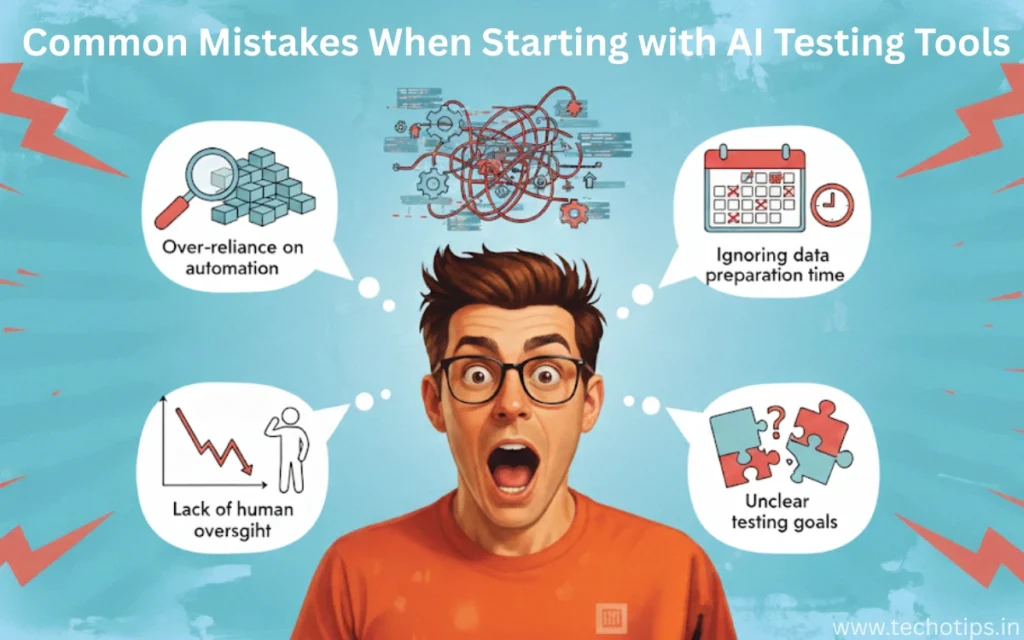
I made these mistakes so you don’t have to:
Mistake 1: Expecting 100% AI magic
AI testing tools are incredible, but they’re not magic. You still need to understand testing principles, define what to test, and review results.
I initially thought AI would automate everything. Reality: AI handles maybe 70-80% of routine work. The remaining 20-30% requires human judgment.
Mistake 2: Not maintaining test data
AI can’t fix bad test data. I spent days troubleshooting “flaky” tests that were actually failing because my test data was inconsistent.
Mistake 3: Over-relying on self-healing
Self-healing is amazing, but it’s not perfect. I now review my test results weekly to catch cases where tests pass due to self-healing but aren’t actually testing the right things anymore.
Mistake 4: Choosing tools based on hype, not needs
The most expensive or newest tool isn’t automatically the best for your situation. I almost bought a $2,000/month enterprise tool before realizing Testim at $450/month did everything I needed.
Mistake 5: Not integrating with your existing workflow
An AI testing tool that doesn’t integrate with your CI/CD pipeline, bug tracker, or team communication tools becomes a headache fast.
Getting Started: Your First Week Action Plan
If you’re ready to try AI-powered automation testing, here’s what I recommend:
Day 1-2: Pick a tool and sign up
Start with Katalon Studio (free) or Testim (14-day trial). Don’t overthink it- you can switch later.
Day 3-4: Create your first test
Pick a simple user flow in your application (like login → view dashboard → logout). Use the tool’s recorder to capture it.
Day 5: Run and observe
Run your test multiple times. Watch how the AI identifies elements. Make small UI changes and see if self-healing works.
Day 6-7: Expand and compare
Create 3-5 more tests for different features. If you have time, try a second tool for comparison.
Week 2 and beyond:
Gradually migrate your most critical test scenarios to the AI tool. Don’t try to replace everything at once.
The Future of AI in Testing (Where This Is Heading)
Based on what I’m seeing in the industry and testing in beta programs:
Predictive testing: AI will soon predict which tests are most likely to fail based on code changes, running only relevant tests instead of the entire suite.
Autonomous test creation: Tools are getting better at analyzing your application and automatically creating comprehensive test coverage without human input.
Natural language test writing: You’ll describe what to test in plain English, and AI will create, execute, and maintain tests automatically.
Visual AI improvements: Computer vision in testing is advancing rapidly. Tools will soon test visual appearance and user experience, not just functionality.
Better integration with development: AI testing tools will work directly in IDEs, suggesting tests as developers write code.
We’re maybe 2-3 years away from AI handling 90% of routine testing work. The QA engineer role will shift from writing and maintaining tests to designing test strategy and analyzing complex scenarios AI can’t handle.
My Bottom Line After Three Months
AI-powered automation testing isn’t hype it’s genuinely transformative.
I’ve cut my test maintenance time by 60%, found bugs faster, and honestly enjoy testing more because I’m spending time on interesting problems instead of updating brittle test scripts.
For most people reading this, here’s what I recommend:
If you have zero budget: Start with Katalon Studio or Selenium + ChatGPT. You’ll get real value without spending money.
If you have $10-20/month: Get GitHub Copilot. It’ll immediately make writing test code faster and less tedious.
If your company has budget: Push for Testim or similar paid tools. The ROI is obvious within weeks.
If you’re still skeptical: Just try one tool for a week. Create 5 tests. Watch the self-healing work when you change UI elements. You’ll be convinced.
The testing landscape is changing fast. The teams adopting AI testing tools now are building advantages that compound over time. The teams waiting are falling behind.
Frequently Asked Questions (From Real People I’ve Helped)
Over the past few months, I’ve answered hundreds of questions about AI testing tools. Here are the ones I get asked most often:
Is AI automation testing worth it for small projects?
Honestly? It depends on your definition of “small.”
If you’re testing a simple 5-page website that rarely changes, traditional Selenium or even manual testing might be enough. The setup time for AI tools might not be worth it.
But if “small” means 20-30 test cases that you run frequently, or if your project is small but changes often, AI tools absolutely make sense. Even the free tools like Katalon Studio will save you maintenance time.
I tested both approaches on a side project. With traditional Selenium, I spent about 3 hours monthly maintaining tests. With Katalon’s AI features, that dropped to maybe 30-45 minutes.
Can AI completely replace manual testing?
No, and anyone who tells you otherwise is selling something.
AI automation is fantastic for repetitive regression testing, smoke tests, and verifying known user flows. But it struggles with:
Exploratory testing where you’re trying to find unexpected issues
Usability and user experience evaluation
Edge cases that haven’t been explicitly programmed
Visual design verification (though this is improving)
In my current role, about 70% of our testing is automated with AI tools. The remaining 30% is manual testing where human judgment is essential.
Which programming language is best for AI automation testing?
Based on my experience and tool support:
Python wins for most people. Here’s why:
Best AI/ML library support
ChatGPT and Copilot generate excellent Python test code
Selenium, Playwright, and most frameworks have great Python support
Easier to learn than Java if you’re new to programming
JavaScript is a close second:
Essential for web testing with tools like Playwright and Cypress
Great if you’re already familiar with web development
Excellent tooling and community support
Java still matters:
Many enterprise teams use it
Strong framework support (TestNG, JUnit)
Good job market for Java test automation
My personal stack is Python for most things, with JavaScript for specific web testing scenarios.
How long does it take to see ROI from AI testing tools?
Based on my experience and talking to other teams:
Small teams (1-3 testers): You’ll notice time savings within 2-3 weeks. Measurable ROI (tool cost vs. time saved) usually hits around 2-3 months.
Medium teams (4-10 testers): Time savings are immediate once you’re set up. ROI typically within 4-6 weeks.
Large teams (10+ testers): The ROI calculation is more complex, but most teams report positive ROI within the first month.
For us specifically: We spent about $450/month on Testim and saved approximately 12 hours of QA time weekly. At our QA hourly rates, that’s roughly $2,500-3,000 in saved labor monthly. ROI was obvious within 2 weeks.
Can I use multiple AI testing tools together?
Absolutely, and I actually recommend it.
My current setup uses:
Testim for main application regression testing
GitHub Copilot for writing custom test scripts
ChatGPT for quick script generation and debugging help
Katalon for API testing (their API features are strong)
Different tools excel at different things. Using the best tool for each job makes more sense than forcing one tool to do everything.
The key is ensuring they integrate well with your CI/CD
What’s the difference between AI testing and test automation?
Great question because people often confuse these.
Traditional test automation: You explicitly program every step. “Click button with ID ‘submit-btn’, wait 2 seconds, verify text ‘Success’ appears.”
AI-powered testing: The tool uses artificial intelligence to adapt and make decisions. It might locate that button using visual recognition, natural language understanding, or pattern matching instead of a fixed ID.
Think of it this way: Traditional automation is following a recipe exactly. AI testing is more like an experienced cook who can adjust when ingredients are slightly different or the kitchen layout changes.
All AI testing is automation, but not all automation uses AI.
Are AI-generated tests reliable?
AI-generated tests work correctly about 85-90% of the time on first try
The remaining 10-15% need minor adjustments
Very rarely (maybe 2-3% of the time) they completely miss the point
I never deploy an AI-generated test without running it at least 3-4 times and reviewing what it actually tests. AI can misunderstand requirements or make incorrect assumptions.
Think of AI as a junior tester who works incredibly fast but needs supervision. You review their work before it goes to production.
Will AI testing tools take my QA job?
I get this question a lot, and I understand the concern. Here’s my honest take:
AI won’t take your QA job, but a QA engineer who uses AI might.
The role is changing from “person who writes and maintains tests” to “person who designs testing strategy and uses AI to implement it efficiently.”
Jobs that involve repetitive test script maintenance will decline. Jobs that involve test strategy, complex scenario design, and combining automation with manual testing will grow.
I’m more valuable to my company now than before AI tools not because I write more tests, but because I design better testing strategies and execute them 3x faster.
My advice: Learn AI testing tools now. Become the person on your team who knows how to leverage them. That’s job security.