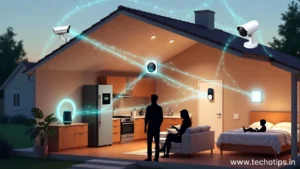
My neighbor’s doorbell sent her a video notification while she was grocery shopping three miles away. Someone had delivered a package. She watched the delivery happen in real-time on her phone, unlocked her door remotely for a friend to grab the package, and locked it back all while comparing tomato prices at the store.
Five years ago, this would have seemed like science fiction. Today, it’s just Tuesday.
Understanding smart technology trends for daily life isn’t about keeping up with tech enthusiasts anymore. It’s about figuring out why your new refrigerator wants WiFi access, why light bulbs now cost $50 instead of $5, and whether you really need a thermostat that learns your schedule.
The shift from “dumb” devices to smart ones happened so gradually that most people didn’t notice until suddenly everything in stores promises to connect to the internet. Your doorbell, coffee maker, vacuum cleaner, door locks, and even trash cans now advertise “smart” features.
After watching friends and family navigate these changes over the past three years, I’ve learned which smart devices affecting daily life actually improve things versus which ones add complexity without real benefit. This guide breaks down what’s genuinely changing and what you actually need to know.
What Makes Devices “Smart” Anyway
Smart devices connect to the internet and can be controlled remotely through apps, voice commands, or automation. They collect data about how you use them and often work together as part of connected home systems.
The basic difference: A regular light switch turns lights on and off manually. A smart light switch does the same but also connects to WiFi, letting you control lights from your phone, set schedules, or have lights turn on automatically when you arrive home.
Why “smart” matters now: Internet connectivity got cheap enough that adding it to almost anything costs manufacturers just a few dollars. This made every product category “smart-enabled” practically overnight.
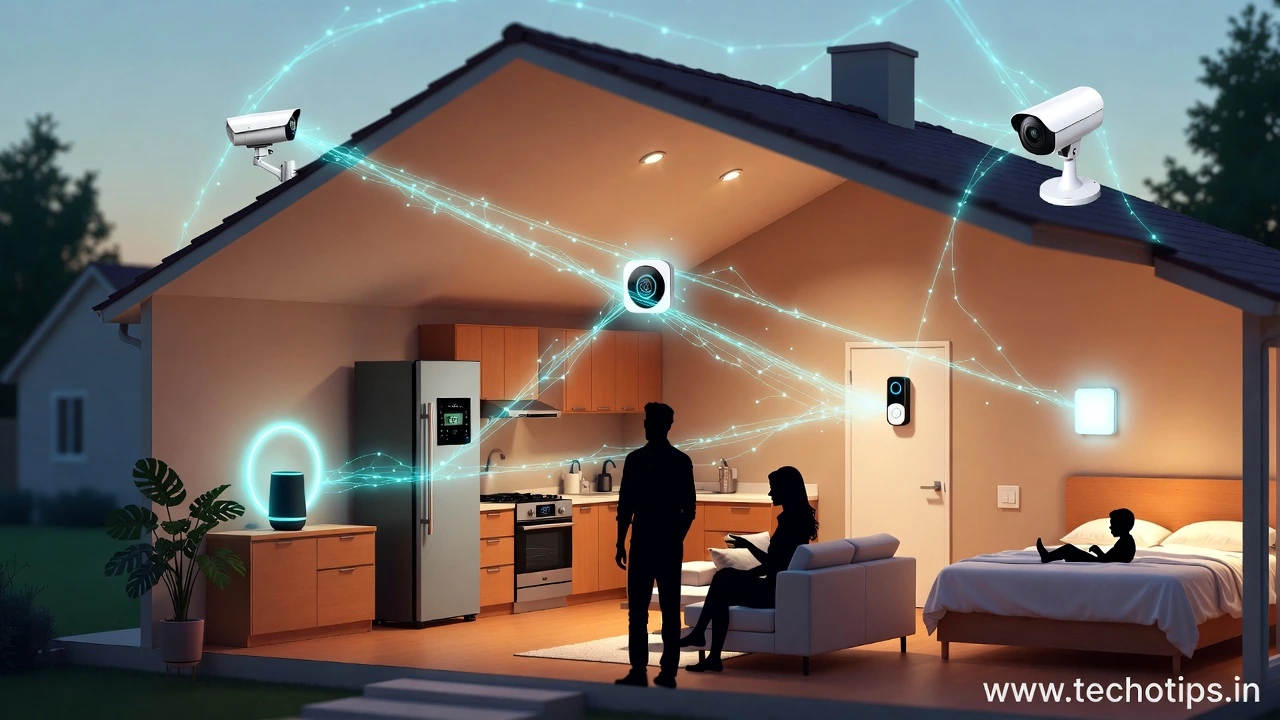
The IoT connection: IoT (Internet of Things) refers to all these connected devices talking to each other and the internet. Your smart speaker controlling your smart lights while your smart thermostat adjusts temperature based on whether your smart door lock says you’re home—that’s IoT technology for common people in action.
Smart Home Technology Trends Affecting Regular People
These smart home technology trends have moved from tech enthusiast toys to mainstream products available at regular stores.
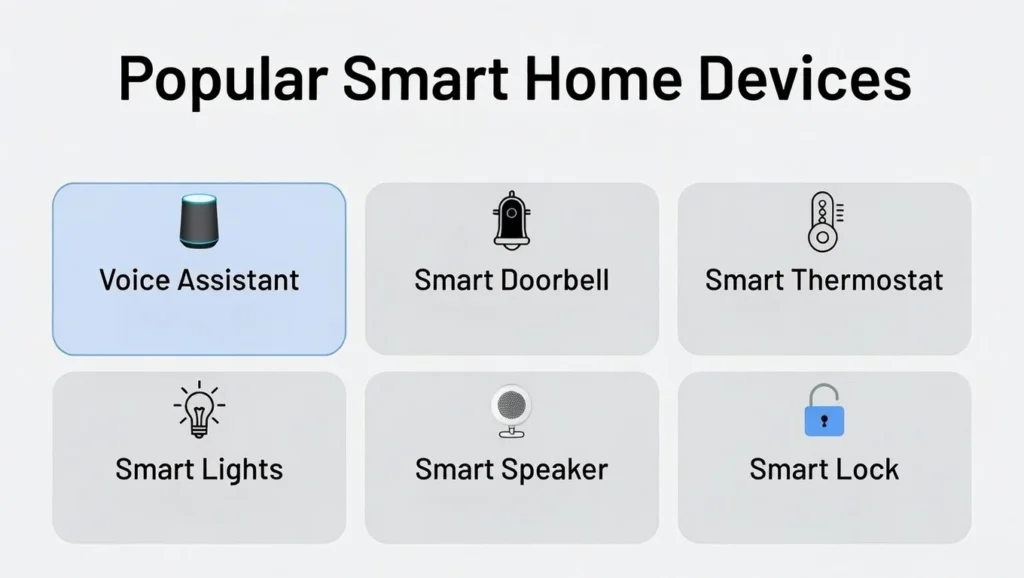
Voice Assistants Becoming Home Hubs
What changed: Amazon Alexa, Google Assistant, and Apple Siri evolved from phone features into standalone devices that control entire homes through voice.
How this affects daily life:
Setting timers, alarms, and reminders by voice while cooking or getting ready.
Controlling lights, temperature, and entertainment without finding remotes or walking to switches.
Adding items to shopping lists, checking weather, or getting news updates hands-free.
Calling family members or answering door cameras through voice commands.
Real adoption: My parents who resist most technology use their Echo Dot daily for weather, music, and kitchen timers. The voice interface works for people who struggle with phone apps.
The listening concern: Always-on microphones in your home recording everything and potentially being reviewed by company employees or hacked by outsiders.
Read also : How AI Technology Is Affecting Common People in Daily Life
Smart Doorbells and Security Cameras
The boom: Ring, Nest, Arlo, and similar brands made home security cameras mainstream and affordable.
What people actually use them for:
Seeing who’s at the door without getting up or even being home.
Deterring package thieves with visible cameras.
Checking on kids, pets, or elderly family members remotely.
Recording evidence if something does happen.
Unexpected benefit: Neighbors sharing camera footage to catch criminals or find lost pets creates informal community security networks.
Privacy flip side: Your security camera also records your neighbors, delivery people, and anyone who walks past. Some people feel surveilled by their neighbor’s devices.
My street’s reality: Seven houses on my block have visible doorbell cameras now. Package theft dropped to zero after two incidents were caught on video and posted to neighborhood social media.
Smart Thermostats Saving Money
Popular devices: Nest, Ecobee, and similar smart thermostats learn your schedule and adjust heating/cooling automatically.
The money angle:
Thermostats detect when nobody’s home and reduce energy use.
Remote control prevents wasted heating or cooling when plans change.
Usage reports show exactly when and how you’re spending on climate control.
Real savings: My electric bill dropped about $35 monthly after installing a Nest thermostat three years ago. Over time, it learned our routine and optimizes without me thinking about it.
Installation barrier: Many people intimidated by replacing thermostats themselves pay $100+ for professional installation, reducing the value proposition.
Smart Lights and Switches
The appeal: Philips Hue, LIFX, and similar smart bulbs or switches offer color changing, dimming, scheduling, and voice control.
Practical uses beyond novelty:
Lights turn on automatically at sunset so you never come home to darkness.
Wake up to gradually brightening lights instead of jarring alarms.
Turn off all lights from bed without getting up to check each room.
Simulate presence when traveling by randomizing light patterns.
Cost reality check: Smart bulbs cost $15-50 each versus $1-3 for regular bulbs. Outfitting a whole house gets expensive fast.
My approach: I only use smart lights in frequently-used rooms (living room, bedroom, kitchen). Regular bulbs work fine everywhere else.
Smart Speakers for Entertainment
Beyond voice assistants: Sonos, Google Nest Audio, and HomePod serve primarily as wireless speakers with smart features.
What changed entertainment:
Music in every room controlled from your phone without wiring speakers.
Multi-room audio playing the same song throughout the house.
Podcast and audiobook listening without dedicated devices.
Simplicity factor: My wife who never figured out our old stereo system plays music daily through voice commands to our Google speaker.
Smart Appliances (Hit or Miss)
The marketing pitch: Smart refrigerators, washers, ovens, and coffee makers promise convenience through connectivity.
Reality check:
Most smart appliance features are gimmicks people use once then ignore.
A $3,000 smart refrigerator with a screen doesn’t keep food fresher than a $700 regular one.
Remote start on washers or coffee makers sounds useful but rarely matters in practice.
Where it works: Smart slow cookers and instant pots that you can monitor and control remotely actually see regular use.
Repair nightmare: When smart appliances break, fixing them costs more and often requires specialized technicians who understand the connected features.
Internet Technology Trends for Users
These internet-related changes affect how people connect, communicate, and access information daily.
5G Networks Enabling New Uses
What 5G brings: Much faster mobile internet speeds approaching home broadband quality.
Real impact for common people:
Video calls work reliably on cellular networks, not just WiFi.
Streaming 4K video on phones without buffering.
Cloud gaming on mobile devices becomes practical.
Rural areas getting 5G before fiber internet access better connectivity than they’ve ever had.
The catch: 5G coverage remains spotty outside major cities. Promised speeds often don’t materialize in real-world use.
WiFi 6 and Mesh Networks
Home internet improvement: Newer WiFi technology handles more devices simultaneously without slowing down.
Why this matters now: Average homes have 15-20 connected devices (phones, tablets, smart TVs, speakers, laptops, security cameras, thermostats, etc.). Old WiFi routers choke under this load.
Mesh network solution: Systems like Google WiFi, Eero, or Netgear Orbi use multiple units throughout the house instead of one central router, eliminating dead zones.
My experience: Switching to mesh WiFi fixed constant disconnections in bedrooms far from the router. Setup took 10 minutes and hasn’t required attention in two years.
Cloud Storage Replacing Local Files The shift: Photos, documents, and files increasingly stored on internet servers (iCloud, Google Drive, Dropbox) instead of local computer storage.
How it changes behavior:
Access files from any device anywhere with internet.
Automatic backup prevents losing everything if phone or computer breaks.
Sharing large files becomes clicking a link instead of emailing attachments.
Storage costs: Free tiers fill up fast. Most people eventually pay $2-10 monthly for sufficient cloud storage.
Internet dependency: Without internet connection, you can’t access your own files. This creates problems in areas with unreliable connectivity.
Streaming Services Replacing Cable TV
The cord-cutting trend: Netflix, Disney+, Hulu, YouTube, and similar streaming services replaced traditional cable for millions of households.
What changed:
Watch what you want, when you want, without commercials or schedules.
Content follows you across devices start on TV, finish on phone.
Lower monthly costs than cable bills (though subscribing to many services adds up).
Fragmentation problem: Content scattered across many services means paying for multiple subscriptions or missing shows. People now spend as much on streaming subscriptions as they saved dropping cable.
Internet requirement: Streaming requires reliable, fast internet. Data caps become a problem for heavy streamers.
Video Calling Becoming Normal
Zoom era impact: COVID-19 pandemic forced everyone to learn video calling. The habit stuck even after lockdowns ended.
Permanent changes:
Doctor appointments happening via video instead of in-person visits.
Remote work relying heavily on Zoom, Teams, or Google Meet.
Family connections across distances through FaceTime or WhatsApp video.
Job interviews conducted on video saving travel time and expense.
Digital divide issue: People without smartphones, computers, or internet access face barriers accessing services now defaulting to video options.
Social Commerce and Live Shopping
New shopping trend: Buying products directly through Instagram, TikTok, or live streaming shopping events.
How it works:
Watch influencers demonstrate products and purchase with one click.
Live stream shopping shows where you can buy featured items in real-time.
Shoppable posts on social media bypassing traditional e-commerce sites.
Impulse buying danger: Removing friction between seeing and buying increases impulse purchases and overspending.
Benefits of Smart Technology Trends for Daily Life
Despite challenges, these smart devices affecting daily life offer genuine improvements worth acknowledging.
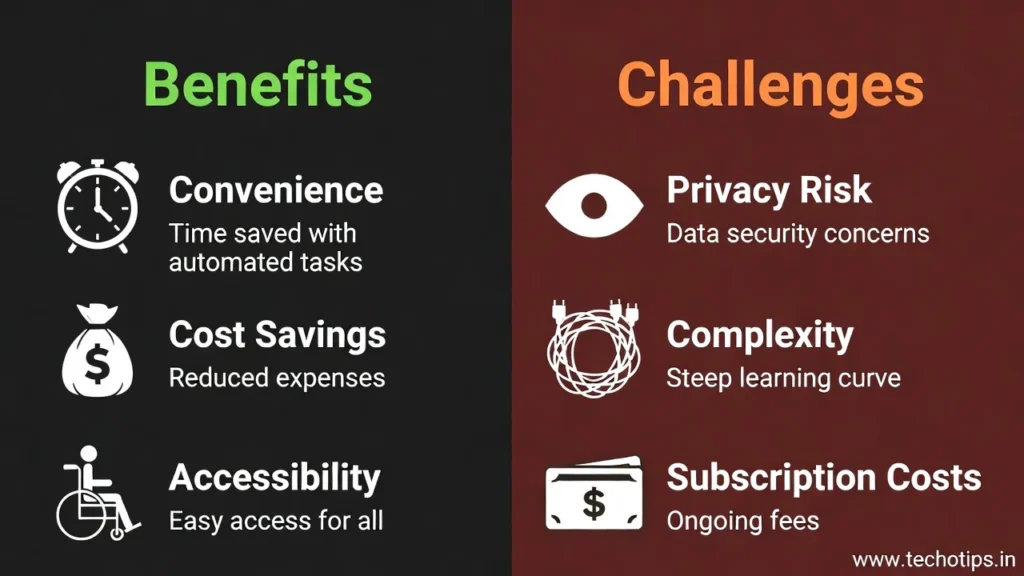
Convenience That Actually Saves Time
Real time savers:
Voice-controlled lights and thermostats eliminate trips across the house.
Smart locks let you grant access to guests or service people without being home.
Automated routines handle repetitive tasks (morning lights, evening temperature adjustments).
Remote monitoring reduces worry about home security or appliance status.
My calculation: Smart home features save me probably 15-20 minutes daily in small conveniences that add up.
Energy and Cost Savings
Measurable benefits:
Smart thermostats optimize heating and cooling, cutting utility bills 10-20%.
Smart power strips detect idle devices and cut power, reducing vampire energy drain.
Usage monitoring reveals which appliances consume the most electricity.
Environmental bonus: Reduced energy consumption from better automation helps the climate while saving money.
Accessibility for Elderly and Disabled
Life-changing benefits:
Voice control helps people with mobility issues operate lights, locks, and appliances.
Remote camera monitoring lets family check on aging parents without invasive in-person visits.
Fall detection in smartwatches can alert emergency services automatically.
Smart medication dispensers remind and track whether doses were taken.
Real impact: My grandmother with arthritis controls her entire home by voice. This independence would be impossible without smart technology.
Enhanced Security and Peace of Mind
Safety improvements:
See and speak to visitors before opening doors.
Receive instant alerts if doors open unexpectedly.
Monitor home while traveling to catch problems early.
Record evidence of crimes or accidents.
The value: Preventing one break-in or catching one package thief justifies the camera system cost for many people.
Challenges of IoT Technology for Common People
Smart technology trends for daily life create problems alongside benefits, especially for less tech-savvy users.
Complexity and Setup Frustration
Common struggles:
Each smart device requires downloading an app, creating an account, and connecting to WiFi.
Getting devices from different brands to work together often fails.
Troubleshooting connectivity issues requires technical knowledge most people lack.
My parents’ experience: They gave up on smart bulbs after spending two hours trying to connect them to WiFi. The setup process assumed technical knowledge they didn’t have.
Privacy and Security Risks
Real concerns:
Smart devices collect detailed data about your daily routines and habits.
Cameras and microphones in homes create hacking opportunities.
Data breaches exposing personal information from device manufacturers.
Companies selling usage data to advertisers without clear consent.
Security failures: Ring doorbell cameras have been hacked multiple times, with strangers talking to children through the devices. These aren’t theoretical risks.
Subscription Costs Adding Up
The subscription trap:
Cloud storage for security cameras costs $3-10 monthly per device.
Advanced features often require premium subscriptions.
Video doorbell recordings beyond 24 hours require paid plans.
Hidden costs: A smart home with cameras, doorbell, and cloud features can easily cost $30-50 monthly in subscriptions beyond initial hardware purchases.
Planned Obsolescence
The update problem:
Manufacturers stop supporting older smart devices after a few years.
Devices without updates become security risks or stop working entirely.
Replacement costs every 3-5 years instead of 10-20 years for “dumb” devices.
Environmental waste: Smart devices become obsolete faster than traditional ones, creating more electronic waste.
Internet Dependency
When internet fails:
Smart devices often can’t be controlled manually if internet or WiFi goes down.
Cloud-dependent features become completely unavailable.
Security cameras don’t record, smart locks won’t respond to apps.
Power outage problem: Most smart home systems need electricity and internet to function, creating vulnerabilities during emergencies.
How to Adopt Smart Technology Wisely
Navigating smart devices affecting daily life requires selective adoption based on actual needs, not hype.
Start With High Impact Devices
Best first smart devices:
Smart thermostat for energy savings and comfort.
Video doorbell for security and package monitoring.
Smart speaker for convenient voice control and entertainment.
Skip initially: Smart appliances, smart bulbs in every room, connected gadgets without clear purpose.
Prioritize Simplicity and Reliability
Choose based on:
Easy setup process with good customer reviews.
Reliability reports devices that work consistently without constant troubleshooting.
Brands with track records of long-term support.
Avoid: Devices requiring complex integration or frequent manual intervention.
Understand Privacy Trade offs
Before buying smart devices:
Read privacy policies to know what data gets collected.
Check if devices work without cloud connectivity.
Research the company’s security track record.
Consider if convenience justifies the privacy loss.
My rule: I don’t put cameras or always on microphones in bedrooms or bathrooms, regardless of convenience promises.
Plan for Ongoing Costs
Budget for:
Subscription fees for cloud storage and premium features.
Replacement costs every 3-5 years as devices become obsolete.
Higher electricity usage from devices that never fully power down.
Calculate total cost of ownership: A $50 doorbell with $10 monthly subscription costs $170 in year one and $120 per year after.
Maintain Manual Backups
Keep traditional options:
Physical keys in addition to smart locks.
Manual thermostat override capabilities.
Light switches that work even when WiFi is down.
Lesson learned: During a power outage, my smart lock’s batteries died and we couldn’t get in. Now I keep a physical key hidden outside.
Read Also : Technology Trends That Affect Common People in the World
The Future of Smart Home Technology Trends
Understanding where this is headed helps you make better decisions about what to adopt now versus wait.
Next 2-3 years: Matter standard will make devices from different brands work together better, reducing current compatibility frustrations.
AI integration: Smart homes will become more predictive, anticipating needs based on patterns rather than requiring manual commands or schedules.
Health monitoring: More devices will track health metrics, potentially alerting you or doctors to problems before symptoms appear.
Energy integration: Smart homes will optimize around variable electricity pricing, charging devices during cheap hours and reducing usage during expensive peak times.
Privacy regulations: Governments will likely mandate clearer data practices and security standards as smart device problems become undeniable.
This connects to our broader discussion of global technology trends affecting common people, where smart devices represent one piece of the rapid technological transformation impacting everyday life.
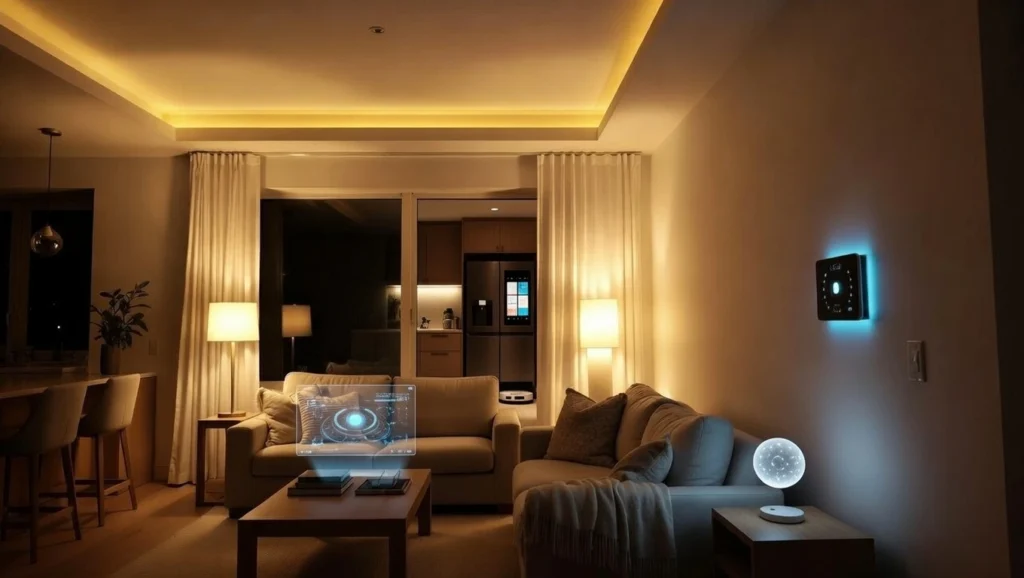
Finding Your Smart Home Balance
After three years of living with various smart devices, my approach has settled into selective adoption based on genuine value.
I use smart technology where it demonstrably saves time, money, or worry. My smart thermostat cuts my utility bill. My doorbell camera provides security and package monitoring. My smart speaker simplifies music and timers.
But I skip smart technology that adds complexity without clear benefit. I don’t need a refrigerator with a screen, a toaster with WiFi, or lights in every room controlled by apps.
The smart technology trends for daily life will continue accelerating. You can’t avoid them entirely anymore. But you can choose thoughtfully, understanding both benefits and trade-offs before converting your entire home.
Remember that “smart” doesn’t automatically mean “better.” Sometimes a $5 light bulb that works for 10 years beats a $40 smart bulb that requires app updates and becomes obsolete in 5 years.
Stay informed, protect your privacy, maintain manual backup options, and never adopt technology just because marketing says you should.
Frequently Asked Questions
What are smart devices and why are they popular?
Smart devices connect to the internet and can be controlled remotely through apps or voice commands. They’re popular because internet connectivity became cheap enough to add to almost anything, and people appreciate the convenience of controlling lights, temperature, security, and appliances from their phones or through voice assistants.
Are smart home devices worth the cost?
It depends on the device. Smart thermostats typically save enough on energy bills to justify their cost within 1-2 years. Video doorbells provide security value many people find worthwhile. Smart lights and appliances often cost more than the convenience they provide unless you have specific accessibility needs or lifestyle benefits from them.
How secure are smart home devices?
Security varies widely. Reputable brands like Google, Amazon, Ring, and Nest invest heavily in security. Lesser-known brands often have serious vulnerabilities. All smart devices create some privacy risk by collecting usage data and potentially being hacked. Using strong passwords, enabling two-factor authentication, and keeping devices updated helps but doesn’t eliminate risk.
Do I need internet for smart devices to work?
Most smart devices require internet for remote control and cloud features. Some work on local WiFi without internet for basic functions, but lose remote access and advanced features. During internet outages, many smart devices become “dumb” devices that work only manually or not at all.
What’s the difference between WiFi and smart devices?
WiFi is the wireless internet network in your home. Smart devices connect to your WiFi network to access the internet, receive commands from apps, and communicate with other devices. You need WiFi for smart devices to work, but WiFi itself is just the connection method, not the smart technology.
Can old people use smart home technology?
Yes, especially voice controlled devices which are often easier for seniors than complex phone apps or manual controls. Smart speakers, voice-controlled lights, and video calling work well for elderly users. However, initial setup usually requires help from someone tech-savvy, and ongoing troubleshooting can be frustrating.
What smart devices should I buy first?
Start with a smart speaker (Amazon Echo or Google Nest) for voice control and entertainment, a smart thermostat if you own your home, and a video doorbell for security. These provide clear, immediate benefits. Avoid smart appliances and specialized gadgets until you’ve determined whether the basic smart home lifestyle works for you.