Three months ago, I was paying $50+ monthly for various AI coding subscriptions. Then I discovered that free AI coding tools had gotten so good that I honestly didn’t need most of those paid plans anymore.
I’m not talking about limited trials or “freemium” traps that barely work. The free AI coding tools for developers available in 2026 are genuinely powerful, and many of them have no usage caps, no credit card requirements, and features that rival paid alternatives.
After testing dozens of free options over the past few months, I’ve identified the ones that actually deliver value without costing a cent. Some are so good that I’ve completely replaced paid tools in my workflow. Others work perfectly as the main tool for side projects while I save the paid subscriptions for client work.
This guide covers every free AI coding tool worth using in 2026, what they’re actually good at, and their real limitations so you know exactly what you’re getting.
What Are Free AI Coding Tools?
Free AI coding tools are software applications that use artificial intelligence to help with programming tasks without requiring payment. They assist with code completion, bug detection, documentation, refactoring, and sometimes even generating entire functions based on descriptions.
The key difference between free and paid AI coding tools isn’t always functionality. Many free tools offer the same core features as their paid counterparts. The differences usually show up in response speed, context window size, usage limits, and advanced features like team collaboration or enterprise security.
AI coding tools for developers have evolved dramatically. Two years ago, “free” meant barely functional demos. In 2026, several free options are sophisticated enough for professional development work. Companies are offering genuinely useful free tiers because they want developers to experience their technology before upgrading.
Why Developers Should Use Free AI Coding Tools in 2026
The benefits of AI coding tools go way beyond just faster code completion. After using these tools daily for months, here’s what actually matters:
Time savings are real. Tasks that used to take hours now take minutes. Writing boilerplate code, setting up project structures, generating test cases, and debugging common errors all happen significantly faster with AI tools for faster coding.
Learning accelerates. When you’re working with an unfamiliar framework or language, AI tools act like instant mentors. They suggest idiomatic ways to solve problems and explain why certain approaches work better than others.
Cognitive load decreases. Instead of remembering exact syntax for every function or constantly googling documentation, AI handles the recall while you focus on problem-solving and architecture.
Experimentation becomes cheaper. Want to try building something in a language you don’t know well? Free AI tools lower the barrier enough that you can prototype ideas without investing weeks in learning first.
The real advantage isn’t that these tools write code for you. It’s that they remove friction from the development process, letting you stay in flow state longer and iterate faster on ideas.
Read Also :
Best Free AI Coding Tools for Developers in 2026
After extensive testing, these are the top free AI coding tools that earned permanent spots in my development workflow. I’m listing them based on actual usefulness, not just popularity.

Codeium – Best Overall Free AI Coding Assistant
My experience: I switched to Codeium four months ago and honestly haven’t looked back. It’s completely free with unlimited completions, which still surprises me given how well it works.
What makes it exceptional:
The autocomplete quality rivals GitHub Copilot for most common programming tasks. It supports over 70 languages including Python, JavaScript, Java, Go, Rust, and pretty much anything you’d want to code in.
IDE support is comprehensive. Works seamlessly in VS Code, IntelliJ, PyCharm, Vim, Neovim, and more. The setup takes literally two minutes, and then it just works.
The chat feature lets you ask questions about your code directly in the editor. It’s not as sophisticated as ChatGPT, but for quick “how do I fix this error” or “explain this function” questions, it handles the job perfectly.
Real limitations: Response times occasionally slow during peak hours, usually late afternoon EST. The context window is smaller than paid tools, so it sometimes misses connections in extremely large codebases.
Best for: Individual developers working on personal projects, students, or anyone who wants GitHub Copilot-level assistance without the monthly fee.
Read Also :Best AI Coding Tools for Developers in 2026
GitHub Copilot Free Tier – Best for Students and Open Source
My experience: GitHub offers Copilot completely free if you’re a verified student or maintain popular open-source projects. If you qualify, this is arguably the best free AI code generator available.
Why it’s powerful:
The suggestions are incredibly context-aware. Copilot reads your entire project structure and generates code that matches your existing patterns and conventions.
Multi-line completions often predict exactly what you need next. Sometimes it feels like Copilot is reading your mind, especially when writing repetitive CRUD operations or test cases.
How to get free access:
Students get it through GitHub Student Developer Pack. Requires verification with a student email or ID, but gives full access to Copilot.
Open source maintainers of popular projects can apply for free access. GitHub reviews applications based on project impact.
Catch: You need to qualify. If you’re not a student or open-source maintainer, you’ll need to pay or use alternatives.
ChatGPT Free Tier – Best Free AI Debugging Tool
My experience: While not specifically a coding tool, ChatGPT’s free tier has become my go-to for debugging complex issues and understanding unfamiliar code.
How I use it for coding:
Paste error messages and stack traces, and it explains what’s wrong in plain English. Often suggests multiple potential fixes with explanations of why each might work.
Ask it to explain complex code snippets. When inheriting legacy code or working with unfamiliar libraries, ChatGPT breaks down what each part does.
Generate algorithms and logic. For complex problem-solving that requires thinking through logic before coding, ChatGPT helps structure the approach.
Real example: Had a race condition bug in async JavaScript that took me two hours to track down. Pasted the problematic function into ChatGPT, and it identified the issue in 30 seconds, explaining why it was happening and how to fix it.
Limitations: Can’t see your entire codebase like Copilot, so you need to provide relevant context. Sometimes suggests code that looks right but has subtle issues, so always review carefully.
Google AI Studio (Gemini) – Best for Documentation and Explanation
My experience: Google’s free AI Studio with Gemini access is underrated for coding tasks. It handles longer contexts than ChatGPT’s free tier, which matters when working with large files.
Where it excels:
Generating comprehensive documentation for existing code. It reads through functions and writes clear explanations of what they do, parameters, return values, and edge cases.
Refactoring suggestions. Paste messy code and ask for cleaner alternatives. Gemini is particularly good at suggesting more readable implementations.
Learning new technologies. When picking up a new framework, Gemini explains concepts thoroughly and provides code examples that actually make sense.
Free tier benefits: Generous rate limits. You can make quite a few requests daily without hitting limits, unlike some other free AI tools that cap you quickly.
Best use case: Documentation writing, code reviews, and learning. Less ideal for real-time autocomplete since it’s web-based rather than editor-integrated.
Tabnine Basic – Best Free AI Tool with Privacy Focus
My experience: Tabnine’s free tier is more limited than Codeium, but if code privacy matters to you, it’s the better choice.
Privacy advantages:
Processes completions locally when possible. Your code doesn’t get sent to external servers for every suggestion, which matters for proprietary or sensitive projects.
Transparent about data usage. Tabnine clearly states what data gets processed where, unlike some tools with vague privacy policies.
Free tier limitations:
Shorter context window compared to the paid version. Suggestions are based on immediate surrounding code rather than entire project understanding.
Slower suggestion speed. The local processing means slightly longer wait times for completions.
Who should use it: Developers working on proprietary codebases where sending code snippets to external servers could violate NDAs or company policies.
Best Open-Source AI Coding Assistant
My experience: Continue is the most promising open-source free AI coding assistant I’ve tested. It’s like having a customizable Copilot alternative that you fully control.
What makes it unique:
Completely open source. You can inspect the code, understand exactly what it does, and even modify it for your needs.
Works with multiple AI models. Can connect to OpenAI, Anthropic, local models like Ollama, or any compatible API. You choose what powers it.
Privacy-first design. Since it’s open source and can run entirely locally, you have complete control over where your code goes.
Setup complexity: More involved than clicking “install” on other tools. Requires some configuration, especially if using local models.
Best for: Privacy-conscious developers, those wanting to use local AI models, or anyone who prefers open-source tools they can audit and modify.
Read Also :How to Earn Money with AI in 2026: I Went from $0 to $1,500/Month in 7 Months
Best Free AI Tools for Backend Development
Backend development has specific needs that general coding tools don’t always handle well. These free AI backend development tools focus on server-side work.
Codeium for backend: Works excellently with Node.js, Python Flask/Django, Java Spring, and Go. Suggests complete API endpoints including error handling and database queries.
ChatGPT for database queries: Despite being general-purpose, ChatGPT excels at generating complex SQL queries and explaining database optimization strategies. I use it constantly for PostgreSQL and MongoDB work.
Cursor free tier: While Cursor is primarily paid, the free tier gives 2,000 completions monthly. For backend projects, that’s usually enough if you use it strategically for complex refactoring rather than every line.
My backend workflow: Use Codeium for day-to-day autocomplete, ChatGPT when stuck on database or architectural questions, and save Cursor free completions for major refactoring work.
Best Free AI Tools for Frontend & Full-Stack Developers
Frontend development and full-stack work require different AI tool capabilities, particularly around HTML, CSS, and framework-specific code.
Codeium for React/Vue/Angular: Handles modern frontend frameworks well. Suggests complete component structures, hooks logic, and state management patterns.
ChatGPT for CSS and styling: Surprisingly good at generating CSS layouts and fixing responsiveness issues. Describe what you want visually, and it writes working CSS.
Free AI tools for full-stack developers strategy: Use Codeium in your editor for real-time completions across both frontend and backend. Use ChatGPT web interface for complex problems that need explanation or when generating larger code blocks.
Bolt.new free tier: While not purely a coding tool, Bolt’s free tier lets you prototype full-stack applications using AI. Great for quickly testing ideas before committing to building them properly.
Real scenario: Building a full-stack dashboard with React frontend and Node.js backend. Used Codeium for component autocomplete and API route writing, ChatGPT for complex state management logic, and Bolt to prototype the initial layout before coding it.
Open-Source AI Coding Tools for Developers
Open-source AI coding tools give you transparency, privacy, and customization that proprietary tools can’t match.
Continue (already mentioned): Most mature open-source option. Active development community and good documentation.
Tabby: Self-hosted AI coding assistant. You run it on your own infrastructure, meaning complete control over your code and data. Requires technical setup but offers maximum privacy.
CodeGPT: Open-source VS Code extension that connects to various AI models. Flexible but requires some configuration knowledge.
Free open-source AI developer tools advantage: No vendor lock-in, full code auditing, ability to modify for specific needs, and guaranteed long-term availability since the code is public.
Trade-off: Usually require more technical setup and maintenance compared to managed services like Codeium or GitHub Copilot.
Limitations of Free AI Coding Tools
Being honest about limitations of free AI tools helps set realistic expectations and prevents frustration.
Response speed: Free tools often have slower response times than paid versions, especially during peak usage hours. The difference is usually 1-3 seconds, which adds up over a day.
Context windows: Free versions typically analyze less surrounding code. They might miss connections between distant parts of large projects that paid tools would catch.
Usage caps: Some free tools have daily or monthly limits. Hit the cap and you’re waiting until the next period or upgrading.
Advanced features missing: Team collaboration, custom model training, priority support, and enterprise integrations are usually paid-only features.
Quality variance: Free tools sometimes generate less optimal code than their paid counterparts. The suggestions work but might not follow best practices as consistently.
Real impact: For personal projects and learning, these limitations rarely matter. For professional work with tight deadlines or large codebases, they become more noticeable.
Free vs Paid AI Coding Tools – Which Should You Choose?
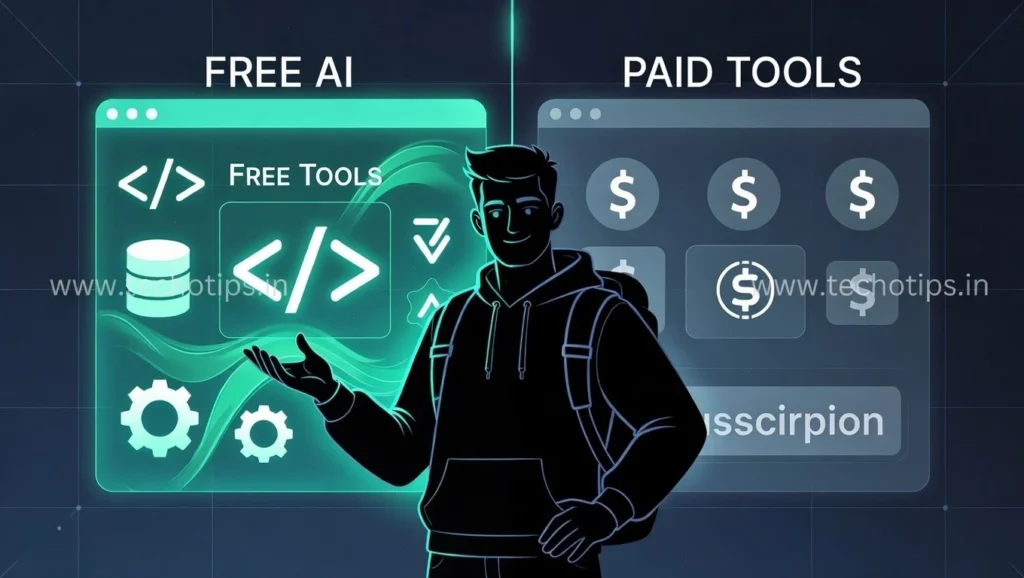
After using both extensively, here’s my practical advice on the free vs paid AI coding tools 2026 decision.
Free tools are genuinely sufficient when:
Working on personal projects or side hustles. Building to learn rather than for production. You’re a student or early in your career. Development is occasional rather than daily.
Paid tools justify their cost when:
Development is your full-time job. Time savings directly translate to more billable hours or faster feature delivery. Working on large, complex codebases. You need team features or enterprise security. The subscription costs less than the time it saves.
Best AI coding tools free and paid strategy: Start with free tools. If you’re coding regularly and find yourself frustrated by free tool limitations, upgrade the specific tool you use most. Don’t pay for multiple tools until you’ve exhausted free options.
My setup: I use Codeium (free) for 80% of my coding, ChatGPT Plus (paid, $20/month) for complex problem-solving, and GitHub Copilot (paid, $10/month) only for client projects where speed matters most. Total cost: $30/month, down from $50+ when I subscribed to everything.
Best Free AI Coding Tools for Beginners
If you’re learning to code, free AI tools for beginner developers can accelerate your learning, but they can also create bad habits if used incorrectly.

Best approach for beginners:
Use AI tools to learn faster, not to avoid learning. When AI generates code, read every line and understand what it does. Ask the AI to explain parts you don’t understand.
Start with ChatGPT or Google AI Studio for learning concepts. They explain things clearly and you can have back-and-forth conversations until you truly understand.
Add Codeium once you grasp basics. Let it handle syntax while you focus on logic and problem-solving.
Best AI coding tools for beginners free list:
ChatGPT free tier for learning and debugging. Codeium for in-editor assistance once you know fundamentals. freeCodeCamp with AI features for structured learning. Replit with AI for browser-based coding and instant testing.
Warning for beginners: Don’t let AI do your homework or learning exercises. The temptation is real, but you’re only cheating yourself. Use AI to explain solutions after you’ve attempted them, not to generate answers you copy without understanding.
Real beginner story: A developer I mentor started with ChatGPT to understand JavaScript concepts, added Codeium after two months for autocomplete help, and recently told me the combination cut his learning curve in half while ensuring he actually understands the code.
Frequently Asked Questions
Are free AI coding tools safe to use?
Generally yes, but read privacy policies carefully. Tools like Codeium and GitHub Copilot have clear data handling policies. Your code snippets might be used to improve models unless you opt out. For proprietary code, use tools with local processing like Tabnine, or open-source options like Continue that you can audit.
Which free AI coding tool is best in 2026?
Codeium is the best overall free AI coding assistant for most developers. It offers unlimited completions, supports all major languages and IDEs, and has quality comparable to paid tools for everyday coding. If you qualify for free GitHub Copilot (student or open source), that’s technically better but requires eligibility.
Can free AI tools replace paid tools completely?
For personal projects and learning, absolutely. Free tools handle most coding tasks well. For professional development, it depends on your workflow. I know developers using only free tools successfully, and others who find paid tools essential. Try free options first and upgrade only if you hit limitations that affect your productivity.
Do free AI coding tools work offline?
Most don’t, since they process requests on cloud servers. Tabnine offers some offline functionality in paid tiers. Open-source tools like Continue can work with locally-run AI models if you set them up, but this requires technical knowledge and powerful hardware.
How do free AI tools compare to paid ones in code quality?
For common programming tasks, the difference is minimal. Both generate functional code. Paid tools typically offer faster responses, understand larger contexts better, and occasionally suggest more optimized solutions. For learning and personal projects, free tool quality is more than sufficient.
About the Author